

You are running OpenSearch 1.3 in production. It works. Queries come back. Logs get ingested.
Then someone asks: “Should we not upgrade to the latest version?”
Suddenly, you are staring at documentation pages about rolling upgrades, snapshot compatibility, Lucene index versions, and something called Migration Assistant. Every page assumes you already know which method to pick.
The hardest part of migration is not the execution. It is choosing the right strategy before you start.
Pick wrong and you are looking at data loss, unexpected downtime, or a rollback that takes longer than the migration itself.
The One Rule That Changes Everything
OpenSearch nodes cannot be downgraded.
Once you upgrade a node, there is no rolling back to the previous version. Your only recovery path is restoring from a snapshot you took before the upgrade.
Did you take that snapshot? If not, your options shrink dramatically.
This is why every migration starts the same way. Snapshot first. Decide second. Execute third.
Why Upgrades Matter More Than You Think
OpenSearch follows semantic versioning. Major versions introduce breaking changes. Minor versions add features. Patch versions fix bugs.
That sounds clean in theory. In practice, it means:
Skipping versions is not always possible
Plugin compatibility can break silently between minor versions
Lucene index format changes can make your existing data unreadable without reindexing
Staying on an old version does not just mean missing features. It means accumulating security vulnerabilities, losing community support, and eventually hitting a wall where the upgrade path becomes exponentially harder because you waited too long.
The Four Migration Strategies
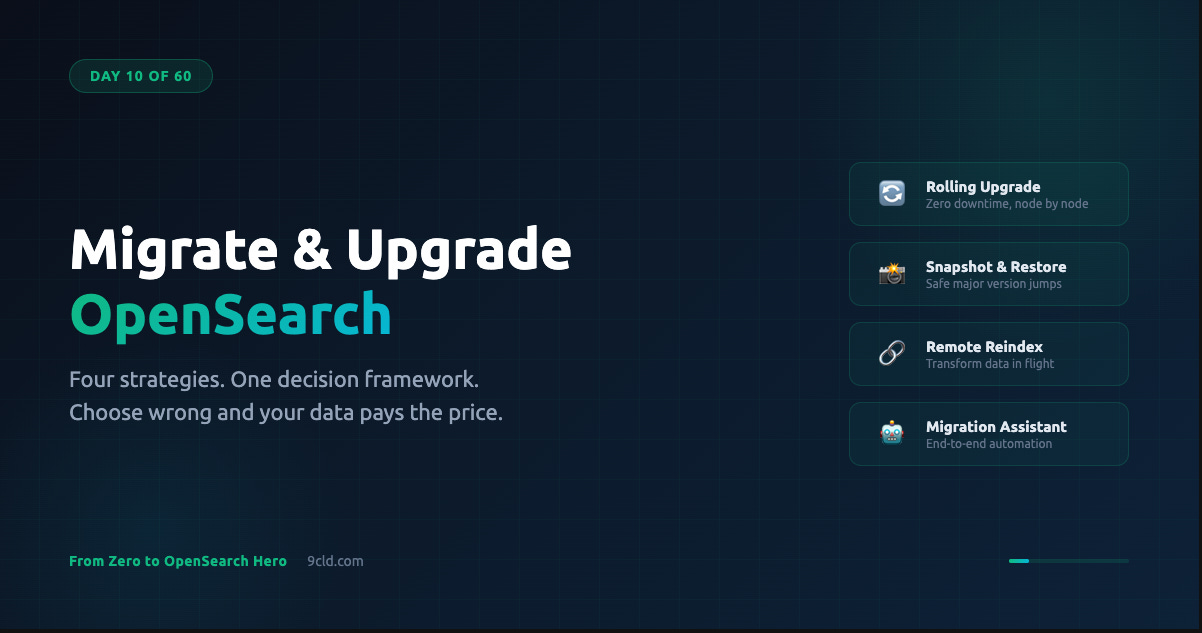
OpenSearch supports four methods. Each makes different tradeoffs between downtime, complexity, infrastructure cost, and version compatibility.
Understanding these tradeoffs is the entire game.
Rolling Upgrade
You upgrade one node at a time while keeping the cluster operational. Data continues to be ingested. Queries keep running. From the outside, the cluster appears normal.
The catch? Rolling upgrades only work between minor versions within the same major release, or from the last minor of one major to the first of the next.
You cannot jump from OpenSearch 1.0 to 2.12 in a single rolling upgrade. You need intermediate hops.
The process follows a precise sequence:
Verify cluster health is green and all shards are allocated
Disable shard allocation so OpenSearch does not try to rebalance while nodes are offline
Flush the translog to commit recent operations to Lucene segments
Stop one node, upgrade it, start it again
Re-enable allocation and wait for green status
Repeat for each node — upgrade the active cluster manager node last
Why last? Because an OpenSearch node cannot join a cluster if the cluster manager is running a newer version. If you accidentally upgrade the manager first, the remaining nodes on the old version cannot rejoin.
Snapshot and Restore
This is the safest option for major version jumps or infrastructure changes.
You take a snapshot of your source cluster, stand up a fresh target cluster on the new version, and restore the snapshot. Complete isolation between source and target. If anything goes wrong, your source cluster is untouched.
Snapshots are forward-compatible by one major version. A snapshot taken on OpenSearch 1.x can be restored on 2.x. But a snapshot from 1.x cannot be restored directly on a hypothetical 3.x. For larger gaps, you need intermediate steps.
Snapshots are also incremental. After the first full snapshot, each subsequent one only captures what changed. This makes the process practical even for large clusters.
When restoring for migration, you have useful options:
Choose specific indexes instead of restoring everything
Exclude system indexes like .opendistro_security that might conflict
Rename indexes during restore to avoid naming collisions
Adjust replica counts and shard allocation to match target capacity
Remote Reindexing
This pulls data directly from a source cluster into a target cluster using the Reindex API. No snapshots. No intermediate storage.
The source cluster serves as a live data source while the target indexes fresh. This supports large version jumps because the data is reindexed from scratch. Lucene format compatibility is not a concern.
The downside? Performance impact. The source cluster serves reindex requests on top of its normal workload. It is also slower than snapshot restore for very large datasets.
But if you need to restructure mappings, change analyzers, or modify shard counts during migration, reindexing is the only method that lets you transform data in flight.
Migration Assistant
The most comprehensive option. An end-to-end solution that handles metadata migration, historical data backfill, and live traffic capture and replay.
How does it work?
A Capture Proxy sits in front of your source cluster and records all incoming HTTP traffic to Kafka
A Reindex-from-Snapshot process backfills historical data into the target cluster
Once backfill completes, a Traffic Replayer reads from Kafka and replays captured requests against the target
The result is near-zero downtime migration with the ability to compare source and target behavior before cutting over.
Migration Assistant is the right choice when you need zero-downtime migration from Elasticsearch to OpenSearch, when you want to validate behavior under real workload, or when you are making a major version jump that other methods do not support cleanly.
Which Strategy Should You Pick?
Ask yourself three questions.
Can you tolerate downtime?
If not, use Rolling Upgrade for minor versions or Migration Assistant for major jumps.
If brief downtime is acceptable, Snapshot and Restore gives you the cleanest path.
How large is the version gap?
Same major version — Rolling Upgrade.
Adjacent major versions — Snapshot and Restore.
Multiple majors or ES 7.11+ — Migration Assistant or a Logstash bridge.
Do you need to transform data?
If no, snapshots preserve everything as-is.
If you need new mappings or shard counts, Remote Reindex lets you restructure in flight.
The Pre-Migration Checklist
Regardless of which strategy you choose, the preparation steps are the same. Skip any of these and you are gambling.
Review breaking changes between current and target version. These are not suggestions. They are things that will break.
Check plugin compatibility. Plugin major, minor, AND patch versions must match OpenSearch exactly. Plugin 2.3.0.x works only with OpenSearch 2.3.0.
Review tools compatibility. Logstash, Beats, Data Prepper — they may also need upgrading. An OpenSearch upgrade that breaks your ingestion pipeline is worse than no upgrade.
Back up configuration files. opensearch.yml, plugin configs, TLS certificates. These do not migrate automatically.
Take a snapshot. Non-negotiable. Store in external storage like S3, OSS, or NFS. This is your rollback plan.
Stop nonessential indexing. Reduces in-flight data and simplifies recovery if something goes wrong.
Version Compatibility
OpenSearch nodes within the same major version are compatible regardless of minor version. OpenSearch 1.1.0 can coexist with 1.3.7 in the same cluster.
Nodes and indexes are backward-compatible with the previous major version. An OpenSearch 2.x cluster can read indexes created on 1.x. But indexes from Elasticsearch 6.x or earlier must be reindexed or deleted before upgrading to OpenSearch 2.x.
What really determines index compatibility? The underlying Lucene version. Each OpenSearch version ships with a specific Lucene version. When Lucene makes a breaking change to its index format, older indexes must be reindexed.
For snapshots, the rule is simple. Forward-compatible by one major version only:
ES 7.x snapshot → restores on OpenSearch 1.x ✓
OpenSearch 1.x snapshot → restores on OpenSearch 2.x ✓
ES 6.x snapshot → restores on OpenSearch 2.x ✗ (needs intermediate 1.x step)
Migrating from Elasticsearch
This is one of the most common scenarios. The path depends on which Elasticsearch version you are running.
ES OSS 7.10.2 or earlier — Smoothest path. Rolling upgrade or cluster restart directly to OpenSearch 1.x. The opensearch-upgrade tool automates config import, keystore migration, and core plugin installation.
ES OSS 6.x — Upgrade to 6.8 first, then to 7.10.2, then migrate to OpenSearch 1.x. No shortcuts.
ES 7.11+ (post-fork) — Direct migration is not supported. The codebase diverged. Your options are Logstash as a bridge (use version 7.13.4 or earlier) or Migration Assistant.
Open Distro (ODFE) — Upgrade to ODFE 1.13, then migrate to OpenSearch 1.x. Cleanest path with the fewest surprises.
AWS OpenSearch Service
AWS offers in-place upgrades with automated pre-upgrade validation. You initiate from the console, CLI, or API. AWS runs checks first and only proceeds if everything passes.
AWS takes automated hourly snapshots and retains up to 336 of them for 14 days. But here is the detail that catches teams: automated snapshots can only restore within the same domain.
For cross-domain migration, you need manual snapshots stored in your own S3 bucket. You register an S3 repository with your domain first, then take manual snapshots.
Watch out for two things. If the target domain has Multi-AZ with Standby enabled, the restore operation will fail — disable it first. And exclude .opendistro_security indexes from restores to avoid overwriting the target domain security configuration.
Alibaba Cloud
Alibaba Cloud uses standard snapshot and restore for migration. The cross-cloud workflow adds steps that AWS-only teams might not expect.
Migrating from AWS to Alibaba Cloud follows this path:
Create snapshot repository on AWS backed by S3
Take full snapshot
Create OSS bucket on Alibaba Cloud and register it as a snapshot repository
Use ossimport or Data Online Migration service to transfer snapshot files from S3 to OSS
Restore on the Alibaba Cloud cluster
For incremental migration, repeat the snapshot-transfer-restore cycle. The final cutover involves stopping writes, taking a final snapshot, transferring, restoring, then switching traffic.
Alibaba Cloud also provides Data Transmission Service (DTS) for real-time synchronization between clusters. Useful when you need to run source and target in parallel during migration with minimal data lag.
Mini Project: Snapshot Migration Lab
Practice the complete workflow locally with two OpenSearch clusters running different versions.
Docker Compose — Two Clusters:
version: '3'
services:
  opensearch-source:
    image: opensearchproject/opensearch:2.11.0
    container_name: os-source
    environment:
      - discovery.type=single-node
      - DISABLE_SECURITY_PLUGIN=true
      - path.repo=/snapshots
    volumes:
      - source-data:/usr/share/opensearch/data
      - snapshot-repo:/snapshots
    ports:
      - "9200:9200"

  opensearch-target:
    image: opensearchproject/opensearch:2.17.0
    container_name: os-target
    environment:
      - discovery.type=single-node
      - DISABLE_SECURITY_PLUGIN=true
      - path.repo=/snapshots
    volumes:
      - target-data:/usr/share/opensearch/data
      - snapshot-repo:/snapshots
    ports:
      - "9201:9200"

volumes:
  source-data:
  target-data:
  snapshot-repo:
Index sample data on the source cluster:
curl -X PUT "localhost:9200/products" -H "Content-Type: application/json" -d '{
  "settings": { "number_of_shards": 1, "number_of_replicas": 0 },
  "mappings": {
    "properties": {
      "name": { "type": "text" },
      "category": { "type": "keyword" },
      "price": { "type": "float" }
    }
  }
}'

curl -X POST "localhost:9200/products/_bulk" -H "Content-Type: application/json" -d '
{"index":{"_id":"1"}}
{"name":"Wireless Headphones","category":"electronics","price":79.99}
{"index":{"_id":"2"}}
{"name":"Running Shoes","category":"footwear","price":129.99}
{"index":{"_id":"3"}}
{"name":"Coffee Grinder","category":"kitchen","price":49.99}
'
Register a snapshot repository on the source:
curl -X PUT "localhost:9200/_snapshot/migration_repo" -H "Content-Type: application/json" -d '{
  "type": "fs",
  "settings": { "location": "/snapshots/migration" }
}'
Take a snapshot:
curl -X PUT "localhost:9200/_snapshot/migration_repo/snapshot_1?wait_for_completion=true" \
  -H "Content-Type: application/json" -d '{
  "indices": "products",
  "ignore_unavailable": true,
  "include_global_state": false
}'
Register the same repository on the target:
curl -X PUT "localhost:9201/_snapshot/migration_repo" -H "Content-Type: application/json" -d '{
  "type": "fs",
  "settings": { "location": "/snapshots/migration" }
}'
Verify the snapshot is visible from the target:
curl -X GET "localhost:9201/_snapshot/migration_repo/_all?pretty"Restore on the target cluster:
curl -X POST "localhost:9201/_snapshot/migration_repo/snapshot_1/_restore" \
  -H "Content-Type: application/json" -d '{
  "indices": "products",
  "ignore_unavailable": true,
  "include_global_state": false
}'
Verify the migration:
# Check index exists
curl -X GET "localhost:9201/_cat/indices?v"

# Verify document count
curl -X GET "localhost:9201/products/_count"

# Confirm data integrity
curl -X GET "localhost:9201/products/_search?pretty" -H "Content-Type: application/json" -d '{
  "query": { "match_all": {} }
}'
All three documents on the target with matching content? Migration succeeded.
In production, you would add the steps of stopping writes, taking a final incremental snapshot, and switching DNS or load balancer targets.
Common Mistakes
Not snapshotting before upgrading. Nodes cannot be downgraded. Without a snapshot, your only recovery is rebuilding from source data.
Upgrading the cluster manager first. Other nodes running older versions cannot rejoin. Always upgrade data nodes first, manager last.
Restoring .opendistro_security indexes. This overwrites the target cluster security setup. Configure security separately.
Ignoring plugin versions. A plugin for 2.3.0 will not load on 2.4.0. Check before upgrading, not after the cluster fails to start.
Jumping multiple major versions. ES 6.x directly to OpenSearch 2.x is not supported. Follow the intermediate steps.
What is Next
On Day 11, we move into Query DSL mastery. You have been writing basic match queries and term filters. Now it is time to learn the full power of OpenSearch queries, bool compounds, function score, nested queries, scripted fields. This is where OpenSearch stops being a search box and becomes a precision instrument.
Interactive guide: https://opensearch.9cld.com/day/10-migrate-upgrade
All interactive guides: https://opensearch.9cld.com