

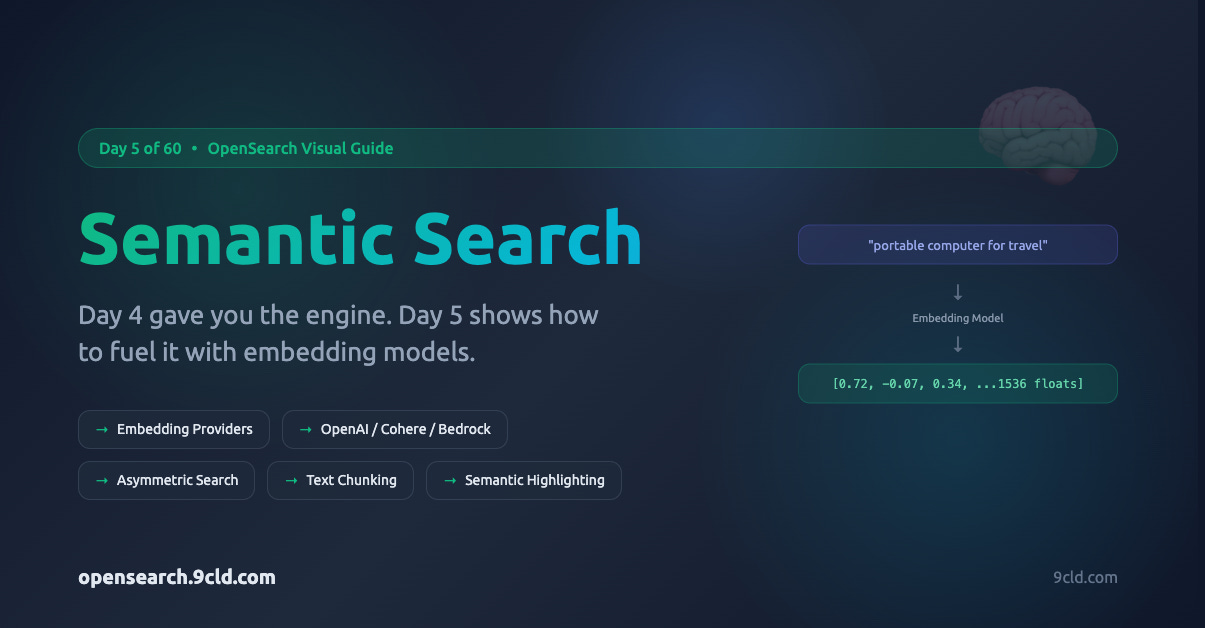
The Missing Piece from Day 4
Yesterday, we learned about vector search, the mechanism for finding similar vectors using k-NN algorithms. We indexed coordinates, computed distances, and retrieved nearest neighbors.
But there was a gap.
We talked about “embeddings” without explaining where they come from. We assumed vectors existed without showing how text becomes numbers. We skipped the most important question:
How does “portable computer for travel” become a vector that sits near “laptop” in mathematical space?
That is what Day 5 answers. Today, we connect the dots between raw text and the vectors that power semantic search.
What Is Semantic Search?
Semantic search understands meaning, not just matching tokens.
When you search “portable computer for travel,” semantic search knows you probably mean laptops. It returns MacBook Airs, Dell XPS 13s, and ThinkPad X1 Carbons, even though none of those documents contain the exact phrase “portable computer.”
The magic happens in the embedding model, a neural network trained on billions of text examples that learned to place similar meanings close together in vector space.
What is the difference between Vector Search and Semantic Search?
Before we go further, let me clarify something that confuses many people.
Vector Search is the underlying mechanism, the “how.” It finds documents by comparing numerical vectors using distance metrics like cosine similarity or Euclidean distance. Vector search does not care what the vectors represent. They could be image embeddings, user preference vectors, GPS coordinates, or random numbers.
Semantic Search is a specific application, the “what for.” It uses vector search to find documents based on meaning. The key ingredient is the embedding model that converts text into vectors, where similar meanings produce similar numbers.
Think of it this way:
Vector search = “Find me vectors closest to this vector.”
Semantic search = “Find me documents with similar meaning to this text” (which uses vector search under the hood)
The relationship:
Vector Search (mechanism)
    ├── Semantic Search (text application)
    ├── Image Search (image application)
    ├── Recommendation Systems (user/item application)
    └── Any similarity-based retrieval
Semantic search IS vector search, but vector search is not always semantic search.
When to use which terminology:
Say “vector search” when working with pre-computed vectors, images, recommendations, or any non-text similarity matching
Say “semantic search” when the goal is matching text by meaning using embedding models
Day 4 covered vector search fundamentals (k-NN, HNSW, bringing your own vectors)
Day 5 (this post) covers semantic search - the text-meaning application
How Semantic Search Works
Here is how it works at a high level.
Step 1: Text becomes numbers. An embedding model converts text into a dense vector, a list of floating-point numbers (typically 384 to 3072 values) that captures the semantic meaning. Similar meanings produce similar numbers.
Step 2: Store in a vector index. OpenSearch stores these vectors in a k-NN index. During ingestion, a pipeline automatically generates embeddings from your text fields.
Step 3: Search by meaning. Your query is also converted to a vector. OpenSearch finds documents with vectors closest to your query vector using approximate nearest neighbor algorithms.
The key insight: “portable computer” and “laptop” end up close together in vector space because the embedding model learned they mean similar things from training on billions of text examples.
Keyword vs Semantic: When to Use Which
This is not an either/or decision. Both have their place.
Keyword search (BM25) excels at:
Product SKUs and exact identifiers
Names, titles, and proper nouns
Technical terms users type precisely
Cases where an exact match is required
Semantic search excels at:
Natural language questions
Conceptual queries (”something for headaches”)
FAQ and knowledge base matching
RAG applications feeding LLMs
Cross-language understanding
Hybrid search combines both. You run keyword and semantic search in parallel, normalize the scores, and merge the results. This gives you exact matches when they exist, and semantically similar results when keywords don't match.
Most production systems use hybrid search.
The Embedding Provider Decision
Before you can do semantic search, you need an embedding model. OpenSearch connects to external models through connectors. Your options:
OpenAI - The industry standard. Their text-embedding-ada-002 produces 1536-dimensional vectors. Easy to set up, well-documented, but your data leaves your network, and you pay per token.
Cohere - Strong multilingual support and input type optimization (different handling for queries vs documents). Available directly via API or through Amazon Bedrock. Supports byte-quantized vectors for memory efficiency.
Amazon Bedrock Titan - Runs entirely within AWS. Your data never leaves the AWS network. Uses IAM for authentication instead of API keys. Ideal for regulated industries and compliance requirements.
Amazon SageMaker - Deploy any model you want. Use Hugging Face sentence transformers, fine-tuned models, or custom architectures. Maximum flexibility, but you manage the infrastructure.
Local Models - Run sentence-transformer models directly on OpenSearch ML nodes. Zero external dependencies, complete data privacy. Best for air-gapped environments, but uses cluster resources and is limited to smaller models.
Here is a quick decision guide:
Need multilingual? Cohere
Data cannot leave AWS? Bedrock Titan
Custom/fine-tuned model? SageMaker
Air-gapped environment? Local Models
Quick prototype? OpenAI
Setting Up Semantic Search: The Complete Flow
Let me walk through the entire setup using Amazon Bedrock Titan as the embedding provider. The same pattern applies to other providers with minor connector changes.
1. Create the Connector
A connector tells OpenSearch how to communicate with the embedding model. For Bedrock, you need an IAM role that allows the connector to invoke the model.
json
POST /_plugins/_ml/connectors/_create
{
  "name": "Amazon Bedrock Connector: titan embedding v1",
  "description": "Connector to Bedrock Titan embedding model",
  "version": 1,
  "protocol": "aws_sigv4",
  "parameters": {
    "region": "us-east-1",
    "service_name": "bedrock"
  },
  "credential": {
    "roleArn": "arn:aws:iam::YOUR_ACCOUNT:role/bedrock-invoke-role"
  },
  "actions": [
    {
      "action_type": "predict",
      "method": "POST",
      "url": "https://bedrock-runtime.${parameters.region}.amazonaws.com/model/amazon.titan-embed-text-v1/invoke",
      "headers": {
        "content-type": "application/json",
        "x-amz-content-sha256": "required"
      },
      "request_body": "{ \"inputText\": \"${parameters.inputText}\" }",
      "pre_process_function": "connector.pre_process.bedrock.embedding",
      "post_process_function": "connector.post_process.bedrock.embedding"
    }
  ]
}
Save the connector_id from the response.
2. Register and Deploy the Model
json
POST /_plugins/_ml/models/_register
{
  "name": "bedrock titan embedding model v1",
  "function_name": "remote",
  "description": "Bedrock Titan text embedding model",
  "connector_id": "YOUR_CONNECTOR_ID"
}
Then deploy it:
json
POST /_plugins/_ml/models/YOUR_MODEL_ID/_deployTest that it works:
json
POST /_plugins/_ml/models/YOUR_MODEL_ID/_predict
{
  "parameters": {
    "inputText": "hello world"
  }
}
You should get back a vector with 1536 floating-point numbers.
3. Create the Ingest Pipeline
The ingest pipeline automatically generates embeddings when documents are indexed:
json
PUT /_ingest/pipeline/my_embedding_pipeline
{
  "description": "Text embedding pipeline for semantic search",
  "processors": [
    {
      "text_embedding": {
        "model_id": "YOUR_MODEL_ID",
        "field_map": {
          "text": "text_embedding"
        }
      }
    }
  ]
}
This says: take the text field, run it through the model, store the result in text_embedding.
4. Create the Vector Index
json
PUT /semantic-search-index
{
  "settings": {
    "index": {
      "knn": true,
      "knn.space_type": "cosinesimil",
      "default_pipeline": "my_embedding_pipeline"
    }
  },
  "mappings": {
    "properties": {
      "text": {
        "type": "text"
      },
      "text_embedding": {
        "type": "knn_vector",
        "dimension": 1536
      }
    }
  }
}
The dimension must match your embedding model output. Titan produces 1536. Cohere produces 1024. Local models vary.
5. Index and Search
Index a document (embeddings are generated automatically):
json
POST /semantic-search-index/_doc
{
  "text": "OpenSearch is a distributed search and analytics engine"
}
Run a semantic search:
json
GET /semantic-search-index/_search
{
  "_source": {
    "excludes": ["text_embedding"]
  },
  "query": {
    "neural": {
      "text_embedding": {
        "query_text": "distributed database for logs",
        "model_id": "YOUR_MODEL_ID",
        "k": 10
      }
    }
  }
}
Notice how the query “distributed database for logs” can match the document about “distributed search and analytics engine” even though the exact words differ. The embedding model understands the semantic similarity.
Asymmetric Search: Queries Are Not Documents
Here is something most tutorials skip.
In real search, queries and documents are fundamentally different. A query is short: “best laptop for coding.” A document is long: a 500-word product review.
Symmetric models treat both the same way. They work okay when query and document are similar length. They struggle when a 5-word query must match a 500-word document.
Asymmetric models use different encoding strategies. Queries get expanded to capture intent. Documents get compressed to capture essence.
Models that support asymmetric search include E5 models (use “query:” and “passage:” prefixes), Cohere Embed v3 (use input_type: “search_query” vs “search_document”), and BGE models.
To implement asymmetric search in OpenSearch, you need separate pipelines for ingestion and search:
Ingest pipeline (for documents):
json
PUT /_ingest/pipeline/asymmetric_embedding_ingest_pipeline
{
  "processors": [
    {
      "ml_inference": {
        "model_id": "YOUR_MODEL_ID",
        "input_map": [
          { "inputText": "passage: ${description}" }
        ],
        "output_map": [
          { "fact_embedding": "$.embedding" }
        ]
      }
    }
  ]
}
Search pipeline (for queries):
json
PUT /_search/pipeline/asymmetric_embedding_search_pipeline
{
  "request_processors": [
    {
      "ml_inference": {
        "model_id": "YOUR_MODEL_ID",
        "input_map": [
          { "inputText": "query: ${ext.ml_inference.params.query}" }
        ],
        "output_map": [
          { "ext.ml_inference.params.vector": "$.embedding" }
        ]
      }
    }
  ]
}
The “passage:” and “query:” prefixes tell the model to encode the text differently based on its purpose.
Handling Long Documents: Text Chunking
Most embedding models have token limits. Titan V2 supports 8,192 tokens maximum. A 50,000-word technical manual will not fit.
Even if truncation worked, a single embedding for a long document loses detail. The first section dominates the vector; everything else is barely represented.
Text chunking splits documents into searchable passages. Each chunk gets its own embedding. When you search, you find the best-matching chunk, and return its parent document.
Here is a chunking pipeline:
json
PUT _ingest/pipeline/chunking-embedding-pipeline
{
  "processors": [
    {
      "text_chunking": {
        "algorithm": {
          "fixed_token_length": {
            "token_limit": 100,
            "overlap_rate": 0.2,
            "tokenizer": "standard"
          }
        },
        "field_map": {
          "passage_text": "passage_chunk"
        }
      }
    },
    {
      "foreach": {
        "field": "passage_chunk",
        "processor": {
          "ml_inference": {
            "model_id": "YOUR_MODEL_ID",
            "input_map": [
              { "inputText": "_ingest._value.text" }
            ],
            "output_map": [
              { "_ingest._value.embedding": "embedding" }
            ]
          }
        }
      }
    }
  ]
}
Chunks are stored as nested objects. Each document has multiple chunk embeddings. When searching, use a nested query with score_mode: "max" so the parent document is scored by its best-matching chunk.
Semantic Highlighting
Traditional highlighting finds keyword matches and wraps them in tags. Semantic highlighting uses ML models to find the most relevant sentences - even when exact keywords are absent.
Query: “heart treatment”
Traditional highlighting: “...heart disease requires treatment...”
Semantic highlighting: “Cardiovascular therapy options include medication and surgical procedures...”
The second result found a semantically relevant sentence even though the words “heart” and “treatment” do not appear.
To use semantic highlighting, your field must be of type semantic and you need a sentence highlighting model deployed separately from your embedding model:
json
GET /my-index/_search
{
  "query": {
    "neural": {
      "text_embedding": {
        "query_text": "treatments for neurodegenerative diseases",
        "model_id": "YOUR_EMBEDDING_MODEL_ID",
        "k": 5
      }
    }
  },
  "highlight": {
    "fields": {
      "text": {
        "type": "semantic",
        "number_of_fragments": 2
      }
    },
    "options": {
      "model_id": "YOUR_SENTENCE_HIGHLIGHTING_MODEL_ID"
    }
  }
}
AWS vs Alibaba Cloud: Semantic Search Comparison
Both clouds offer managed OpenSearch with semantic search capabilities. The approaches differ.
Amazon OpenSearch Service integrates with Bedrock (Titan, Cohere, Claude), SageMaker (any model), and external APIs. Uses IAM roles for authentication. CloudFormation templates automate the setup. Strong in Americas and Europe.
Alibaba Cloud OpenSearch integrates with Model Studio (Qwen, custom models) and PAI-EAS for self-hosted models. Uses RAM roles instead of IAM. Resource Orchestration Service (ROS) for automation. Strong in APAC and China.
Key differences:
Authentication: AWS uses IAM roles; Alibaba uses RAM roles
Foundation models: AWS has Bedrock; Alibaba has Model Studio
Automation: AWS CloudFormation; Alibaba ROS templates
Regional strength: AWS better in Americas/Europe; Alibaba better in APAC
Choose based on where your users are, what ecosystem you are already using, and which foundation models matter to you.
What We Covered
Day 5 was dense. Here is the recap:
Vector vs Semantic search - Vector search is the mechanism (comparing vectors). Semantic search is a text application that uses vector search with embedding models to match meaning.
Semantic search matches meaning, not keywords. It uses embedding models to convert text to vectors and k-NN search to find similar documents.
Multiple embedding providers exist - OpenAI, Cohere, Bedrock Titan, SageMaker, local models. Choose based on privacy requirements, cost, and infrastructure.
The setup flow: Create connector → Register model → Create ingest pipeline → Create vector index → Index documents → Search.
Asymmetric search handles the mismatch between short queries and long documents by encoding them differently.
Text chunking splits long documents into searchable passages, each with its own embedding.
Semantic highlighting finds relevant passages using meaning, not keyword matching.
AWS and Alibaba Cloud both support semantic search with different foundation model and authentication approaches.
Tomorrow we go deeper into hybrid search - combining keyword and semantic approaches for the best of both worlds.
Interactive guide: https://opensearch.9cld.com/day/05-semantic-search
All guides:
https://opensearch.9cld.com/
Building in public. Learning out loud.