

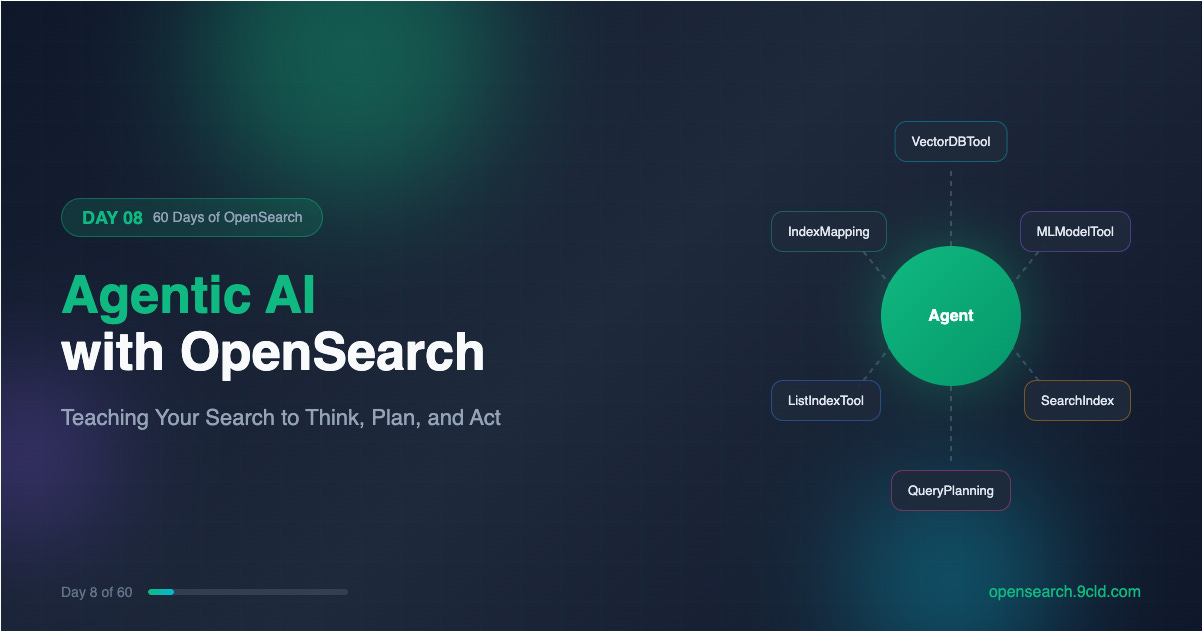
You have built a RAG system. It retrieves documents, sends them to an LLM, and generates answers. But what happens when the question requires more than one step? What if your system needs to first understand the schema, then decide which index to query, then execute the search, then analyze the results, and finally synthesize an answer?
Traditional RAG falls apart. You end up writing custom orchestration logic for every possible scenario. And as complexity grows, so does your codebase.
OpenSearch 2.13 introduced something different. Agents. These are not just pipelines that run tools in sequence. They are coordinators that use LLMs to reason about problems, decide what actions to take, and adapt their approach based on intermediate results.
Let’s explore how OpenSearch turns your search cluster into an intelligent system that can plan, execute, and reflect.
What Is an Agent?
An agent is a coordinator that uses a large language model to solve problems. But coordination is the keyword here. The LLM does the thinking. The agent handles everything else.
When you ask an agent a question, the following sequence unfolds:
The LLM receives your question along with descriptions of available tools
The LLM reasons about which tool would help answer the question
The agent executes that tool and captures the output
The LLM receives the output and decides whether to use another tool or provide a final answer
This cycle continues until the LLM has enough information
The agent manages this entire loop. It handles tool execution, captures outputs, formats prompts, and maintains conversation history. The LLM focuses purely on reasoning.
This separation is powerful. You do not need to embed tool execution logic into your prompts. You do not need to parse LLM responses to figure out which tool to call. The agent framework handles all of that.
The Four Agent Types
OpenSearch supports four distinct agent types, each designed for different use cases.
Flow Agent
A flow agent runs tools sequentially in a fixed order. You define the sequence when you register the agent, and it never deviates.
Think of it as a simple pipeline. Tool A runs first, its output feeds into Tool B, and Tool B produces the final result.
This is perfect for RAG. The VectorDBTool retrieves relevant documents. The MLModelTool sends those documents plus the question to an LLM. The LLM generates an answer. Every question follows this exact path.
Flow agents are fast because there is no reasoning overhead. The LLM is not deciding which tool to use. It only generates the final answer based on retrieved context.
Conversational Flow Agent
This is a flow agent with memory. The execution pattern is identical. Tools run in sequence. The difference is that conversation history persists across interactions.
When a user asks a follow-up question, the agent can reference previous exchanges. This enables multi-turn conversations where context accumulates over time.
Chatbots built on RAG typically use conversational flow agents. The user asks a question, gets an answer, then asks a clarifying question. The second question makes sense only because the agent remembers the first.
Conversational Agent
This is where things get interesting. A conversational agent does not follow a fixed execution path. Instead, it reasons about which tools to use based on the question.
You configure the agent with an LLM and a set of available tools. When a question arrives, the LLM evaluates the question against tool descriptions and decides which tool would help. After executing that tool, the LLM evaluates again. Should it use another tool? Should it provide a final answer?
This iterative reasoning process is called Chain-of-Thought. The LLM thinks step by step, using tools as needed, until it reaches a conclusion.
Conversational agents are more flexible than flow agents. They can handle questions that require different tool combinations. The same agent might use VectorDBTool for one question and CATIndexTool for another.
But flexibility comes with cost. Each reasoning step requires an LLM call. Complex questions might trigger five or ten LLM calls before reaching an answer. This adds latency and expense.
Plan-Execute-Reflect Agent
The plan-execute-reflect agent handles the most complex scenarios. It breaks down multi-step tasks into discrete steps, executes each step, and adapts its plan based on results.
The process works in three phases:
Planning: A planner LLM receives the task and generates a step-by-step plan. Each step describes what to do, which tool to use, and what information to gather.
Execution: The agent executes each step using an internal conversational agent. One step might search an index. Another might analyze the schema. Each produces intermediate results.
Reflection: After executing a step, the planner LLM receives the results and re-evaluates the plan. Should the next step change based on what we learned? Should we skip steps? Add new ones?
This iterative refinement is what makes plan-execute-reflect agents so powerful. They adapt to what they discover during execution.
Consider a troubleshooting scenario. You ask the agent to identify why a service is failing. The initial plan might be: analyze logs, check traces, examine metrics.
But while analyzing logs, the agent discovers a specific error pattern. It updates the plan to focus on that pattern, skipping unrelated steps and adding new ones to investigate the root cause.
Plan-execute-reflect agents run asynchronously because they can take significant time. You submit the task, receive a task ID, and poll for completion.
Tools: What Agents Can Actually Do
Tools are the actions agents can take. Each tool performs a specific task and returns results that the agent can use for further reasoning.
OpenSearch provides a comprehensive set of built-in tools:
VectorDBTool performs semantic search using vector embeddings. You configure it with an embedding model, target index, and embedding field. When executed, it converts the question into a vector and retrieves similar documents.
MLModelTool sends prompts to an LLM and returns the response. This is how agents generate final answers or intermediate analysis. You configure it with a model ID and prompt template.
SearchIndexTool executes DSL queries against OpenSearch indexes. Unlike VectorDBTool, this performs traditional keyword search with full query DSL support.
ListIndexTool returns information about available indexes. Useful when an agent needs to understand what data exists before querying it.
IndexMappingTool retrieves the schema of an index. This helps agents understand field types and structure before constructing queries.
CATIndexTool executes the cat indices API, providing health status, document counts, and storage information for indexes.
PPLTool executes Piped Processing Language queries. PPL is an alternative query syntax that some users find more intuitive than DSL.
WebSearchTool searches the web for external information. This extends agent capabilities beyond your OpenSearch data.
QueryPlanningTool is special. It converts natural language questions into DSL queries. This is the foundation of agentic search, where users ask questions in plain English and the system generates appropriate queries.
You can also create custom tools using the AgentTool, which wraps another agent as a tool. This enables hierarchical agent architectures where a parent agent delegates subtasks to specialized child agents.
Agentic Search: Natural Language to DSL
Agentic search is OpenSearch’s flagship agent application. It lets users ask questions in natural language and receive search results without writing DSL queries.
The system works like this:
User submits a natural language question
QueryPlanningTool analyzes the question and index schema
The LLM generates an appropriate DSL query
OpenSearch executes the query
Results return to the user
Behind the scenes, an agent with QueryPlanningTool orchestrates this flow. The agent can be a simple flow agent for straightforward queries, or a conversational agent for complex scenarios requiring multiple tools.
Agentic search in practice starts with registering a connector to your LLM:
POST /_plugins/_ml/connectors/_create
{
  "name": "Claude Connector",
  "description": "Connector for Anthropic Claude",
  "version": "1.0",
  "protocol": "aws_sigv4",
  "credential": {
    "access_key": "your_access_key",
    "secret_key": "your_secret_key",
    "session_token": "your_session_token"
  },
  "parameters": {
    "region": "us-east-1",
    "service_name": "bedrock",
    "model": "anthropic.claude-3-sonnet-20240229-v1:0"
  },
  "actions": [
    {
      "action_type": "predict",
      "method": "POST",
      "url": "https://bedrock-runtime.us-east-1.amazonaws.com/model/anthropic.claude-3-sonnet-20240229-v1:0/converse",
      "headers": {
        "Content-Type": "application/json"
      },
      "request_body": "{ \"messages\": [{\"role\": \"user\", \"content\": [{\"text\": \"${parameters.prompt}\"}]}] }"
    }
  ]
}
Then register a model using that connector:
POST /_plugins/_ml/models/_register
{
  "name": "Claude Model for Agentic Search",
  "function_name": "remote",
  "description": "Claude model for query planning",
  "connector_id": "your_connector_id"
}
Deploy the model and register an agent:
POST /_plugins/_ml/agents/_register
{
  "name": "Agentic Search Agent",
  "type": "conversational",
  "description": "Agent for natural language search",
  "llm": {
    "model_id": "your_model_id",
    "parameters": {
      "max_iteration": 10
    }
  },
  "memory": {
    "type": "conversation_index"
  },
  "parameters": {
    "_llm_interface": "bedrock/converse"
  },
  "tools": [
    {
      "type": "QueryPlanningTool"
    }
  ],
  "app_type": "os_chat"
}
Create a search pipeline that uses the agent:
PUT _search/pipeline/agentic-pipeline
{
  "request_processors": [
    {
      "agentic_query_translator": {
        "agent_id": "your_agent_id"
      }
    }
  ]
}
Now you can search with natural language:
GET products/_search?search_pipeline=agentic-pipeline
{
  "query": {
    "agentic": {
      "query_text": "Find me blue shoes under 100 dollars",
      "query_fields": ["product_name", "color", "price"]
    }
  }
}
The agent receives this question, analyzes the products index schema, and generates a DSL query that filters by color and price range. You receive search results without writing a single line of query DSL.
Building a RAG Agent Step by Step
Let us build a complete RAG agent using a flow agent architecture. This agent will retrieve documents from a vector index and use an LLM to generate answers.
Step 1: Configure Cluster Settings
Enable ML Commons features:
PUT _cluster/settings
{
  "persistent": {
    "plugins.ml_commons.only_run_on_ml_node": "false",
    "plugins.ml_commons.memory_feature_enabled": "true"
  }
}
Step 2: Deploy an Embedding Model
Register a text embedding model for vector search:
POST /_plugins/_ml/models/_register?deploy=true
{
  "name": "huggingface/sentence-transformers/all-MiniLM-L12-v2",
  "version": "1.0.2",
  "model_format": "TORCH_SCRIPT"
}
Note the model ID from the response.
Step 3: Create a Vector Index
Create an index with a k-NN vector field:
PUT knowledge_base
{
  "settings": {
    "index.knn": true
  },
  "mappings": {
    "properties": {
      "content": {
        "type": "text"
      },
      "embedding": {
        "type": "knn_vector",
        "dimension": 384,
        "method": {
          "name": "hnsw",
          "space_type": "l2",
          "engine": "lucene"
        }
      }
    }
  }
}
Step 4: Create an Ingest Pipeline
Set up automatic embedding generation:
PUT _ingest/pipeline/embedding-pipeline
{
  "processors": [
    {
      "text_embedding": {
        "model_id": "your_embedding_model_id",
        "field_map": {
          "content": "embedding"
        }
      }
    }
  ]
}
Step 5: Index Documents
Add knowledge base content:
POST knowledge_base/_doc?pipeline=embedding-pipeline
{
  "content": "OpenSearch is a community-driven, open source search and analytics suite derived from Apache 2.0 licensed Elasticsearch 7.10.2 and Kibana 7.10.2."
}

POST knowledge_base/_doc?pipeline=embedding-pipeline
{
  "content": "OpenSearch supports vector search through the k-NN plugin, enabling semantic search and similarity matching using dense vector embeddings."
}
Step 6: Set Up the LLM Connector
Create a connector to your preferred LLM:
POST /_plugins/_ml/connectors/_create
{
  "name": "Bedrock Claude Connector",
  "description": "Connector for Claude on Bedrock",
  "version": "1.0",
  "protocol": "aws_sigv4",
  "credential": {
    "access_key": "your_access_key",
    "secret_key": "your_secret_key"
  },
  "parameters": {
    "region": "us-east-1",
    "service_name": "bedrock"
  },
  "actions": [
    {
      "action_type": "predict",
      "method": "POST",
      "url": "https://bedrock-runtime.us-east-1.amazonaws.com/model/anthropic.claude-3-sonnet-20240229-v1:0/invoke",
      "headers": {
        "Content-Type": "application/json"
      },
      "request_body": "{ \"anthropic_version\": \"bedrock-2023-05-31\", \"max_tokens\": 1024, \"messages\": [{\"role\": \"user\", \"content\": \"${parameters.prompt}\"}] }",
      "post_process_function": "return params.content[0].text;"
    }
  ]
}
Step 7: Register and Deploy the LLM
POST /_plugins/_ml/models/_register
{
  "name": "Claude for RAG",
  "function_name": "remote",
  "description": "Claude model for generating answers",
  "connector_id": "your_connector_id"
}
Deploy the model:
POST /_plugins/_ml/models/your_llm_model_id/_deployStep 8: Register the Flow Agent
Now create an agent that combines VectorDBTool and MLModelTool:
POST /_plugins/_ml/agents/_register
{
  "name": "Knowledge Base RAG Agent",
  "type": "flow",
  "description": "RAG agent for knowledge base queries",
  "tools": [
    {
      "type": "VectorDBTool",
      "name": "knowledge_retriever",
      "parameters": {
        "model_id": "your_embedding_model_id",
        "index": "knowledge_base",
        "embedding_field": "embedding",
        "source_field": ["content"],
        "input": "${parameters.question}"
      }
    },
    {
      "type": "MLModelTool",
      "name": "answer_generator",
      "description": "Generates answers based on retrieved context",
      "parameters": {
        "model_id": "your_llm_model_id",
        "prompt": "Human: You are a helpful assistant. Answer the question based only on the provided context. If the context does not contain enough information, say so.\n\nContext:\n${parameters.knowledge_retriever.output}\n\nQuestion: ${parameters.question}\n\nAssistant:"
      }
    }
  ]
}
Step 9: Execute the Agent
Ask the agent a question:
POST /_plugins/_ml/agents/your_agent_id/_execute
{
  "parameters": {
    "question": "What is OpenSearch and does it support vector search?"
  }
}
The agent retrieves relevant documents using vector similarity, passes them to Claude, and returns a contextual answer.
Memory: Enabling Multi-Turn Conversations
Agents can maintain conversation history using memory. This enables follow-up questions that reference previous exchanges.
When registering an agent with memory:
POST /_plugins/_ml/agents/_register
{
  "name": "Conversational Knowledge Agent",
  "type": "conversational_flow",
  "description": "Agent with conversation memory",
  "app_type": "rag",
  "memory": {
    "type": "conversation_index"
  },
  "tools": [
    {
      "type": "VectorDBTool",
      "parameters": {
        "model_id": "your_embedding_model_id",
        "index": "knowledge_base",
        "embedding_field": "embedding",
        "source_field": ["content"],
        "input": "${parameters.question}"
      }
    },
    {
      "type": "MLModelTool",
      "parameters": {
        "model_id": "your_llm_model_id",
        "prompt": "Previous conversation:\n${parameters.chat_history}\n\nContext:\n${parameters.VectorDBTool.output}\n\nQuestion: ${parameters.question}\n\nAnswer:"
      }
    }
  ]
}
The first execution creates a memory ID:
POST /_plugins/_ml/agents/your_agent_id/_execute
{
  "parameters": {
    "question": "What is OpenSearch?"
  }
}
The response includes a memory_id. Use it for follow-up questions:
POST /_plugins/_ml/agents/your_agent_id/_execute
{
  "parameters": {
    "question": "Does it support machine learning?",
    "memory_id": "memory_id_from_previous_response"
  }
}
The agent now has context from the previous exchange. It understands that “it” refers to OpenSearch.
Plan-Execute-Reflect in Action
For complex tasks requiring multi-step reasoning, use a plan-execute-reflect agent. Setting one up for troubleshooting scenarios looks like this:
POST /_plugins/_ml/agents/_register
{
  "name": "Troubleshooting Agent",
  "type": "plan_execute_and_reflect",
  "description": "Agent for investigating system issues",
  "llm": {
    "model_id": "your_llm_model_id",
    "parameters": {
      "prompt": "${parameters.question}"
    }
  },
  "memory": {
    "type": "conversation_index"
  },
  "parameters": {
    "_llm_interface": "bedrock/converse"
  },
  "tools": [
    {
      "type": "ListIndexTool"
    },
    {
      "type": "IndexMappingTool"
    },
    {
      "type": "SearchIndexTool"
    },
    {
      "type": "VectorDBTool",
      "parameters": {
        "model_id": "your_embedding_model_id",
        "index": "logs",
        "embedding_field": "embedding",
        "source_field": ["message"],
        "input": "${parameters.input}"
      }
    }
  ],
  "app_type": "os_chat"
}
Execute asynchronously:
POST /_plugins/_ml/agents/your_agent_id/_execute?async=true
{
  "parameters": {
    "question": "Why is the checkout service failing? Analyze logs and traces to identify the root cause."
  }
}
The agent will:
Plan steps: list available indexes, understand schemas, search logs, and analyze patterns
Execute each step, gathering information
Reflect after each step, adjusting the plan based on findings
Provide a final analysis with root cause identification
MCP: Extending Agent Capabilities
Model Context Protocol (MCP) enables agents to connect to external tools and data sources. This is how you extend agent capabilities beyond OpenSearch’s built-in tools.
First, enable MCP in cluster settings:
PUT _cluster/settings
{
  "persistent": {
    "plugins.ml_commons.mcp_connector_enabled": "true"
  }
}
Create an MCP connector:
POST /_plugins/_ml/connectors/_create
{
  "name": "Weather MCP Connector",
  "description": "Connects to weather service via MCP",
  "version": "1.0",
  "protocol": "mcp",
  "parameters": {
    "endpoint": "https://weather-service.example.com/mcp"
  }
}
Register an agent that uses the MCP connector:
POST /_plugins/_ml/agents/_register
{
  "name": "Weather-Aware Search Agent",
  "type": "conversational",
  "llm": {
    "model_id": "your_llm_model_id",
    "parameters": {
      "max_iteration": 5
    }
  },
  "memory": {
    "type": "conversation_index"
  },
  "parameters": {
    "_llm_interface": "bedrock/converse",
    "mcp_connectors": [
      {
        "mcp_connector_id": "your_mcp_connector_id",
        "tool_filters": ["^get_weather$", "^get_forecast$"]
      }
    ]
  },
  "tools": [
    {
      "type": "SearchIndexTool"
    }
  ],
  "app_type": "os_chat"
}
Now the agent can fetch weather data from external services while also searching your OpenSearch indexes.
Agent Best Practices
Choose the Right Agent Type
Use flow agents when the execution path is predictable. RAG is the classic example. Every question follows the same pattern, retrieve then generate.
Use conversational agents when questions might require different tool combinations. If some questions need vector search while others need schema inspection, a conversational agent can choose the right approach.
Use plan-execute-reflect agents for complex, multi-step tasks. Root cause analysis, research queries, and tasks requiring iterative refinement benefit from this architecture.
Optimize Tool Descriptions
Conversational agents rely on tool descriptions to decide which tool to use. Vague descriptions lead to poor tool selection.
Bad description: “A tool for searching”
Good description: “Searches the products index using semantic similarity. Use this when questions involve finding products by description, features, or attributes. Returns the top 5 most similar products with their names, prices, and descriptions.”
Limit Tools Per Agent
Each tool adds complexity to the LLM’s reasoning process. An agent with twenty tools will make more mistakes than one with five.
Create specialized agents for different domains rather than one agent that does everything. A product search agent, a log analysis agent, and a customer support agent will each perform better than a single omniscient agent.
Handle Failures Gracefully
LLM calls can fail. Network issues, rate limits, and model errors all happen. Configure retry policies:
PUT /_plugins/_ml/connectors/your_connector_id
{
  "client_config": {
    "max_retry_times": 3,
    "retry_backoff_millis": 500,
    "retry_backoff_policy": "exponential_full_jitter"
  }
}
For plan-execute-reflect agents running long tasks, set max_retry_times to -1 for unlimited retries with backoff.
Monitor Agent Performance
Use the Get Message Traces API to understand what agents are doing
GET /_plugins/_ml/memory/message/your_message_id/tracesThis returns the sequence of tools used, intermediate outputs, and reasoning steps. Essential for debugging when agents produce unexpected results.
Cloud Deployment Considerations
AWS OpenSearch Service
Amazon OpenSearch Service supports agents starting with version 2.13. Key considerations:
Use Amazon Bedrock for LLM integration via the built-in connector
IAM roles must include bedrock: InvokeModel permissions
ML nodes are recommended for production workloads
Agentic search with OpenSearch 3.3+ provides additional features
Alibaba Cloud OpenSearch
Alibaba Cloud provides managed OpenSearch with ML capabilities:
Use DashScope for LLM integration with Qwen models
RAM roles control access to ML services
Dedicated ML nodes available in enhanced editions
Consider using PAI-EAS for custom model deployment
Agents transform OpenSearch from a search engine into an intelligent system. They use LLMs to reason about problems, tools to take actions, and memory to maintain context.
Flow agents run tools in sequence for predictable workflows like RAG.
Conversational agents reason about which tools to use and adapt to different questions.
Plan-execute-reflect agents break down complex tasks, execute them step by step, and adapt based on results.
Agentic search converts natural language to DSL queries, enabling search without query expertise.
MCP extends agent capabilities with external tools and data sources.
Tomorrow we will explore analyzers and tokenizers to understand how OpenSearch processes text before indexing and searching.
Interactive guide: https://opensearch.9cld.com/day/08-agentic-ai
All guides: https://opensearch.9cld.com/