

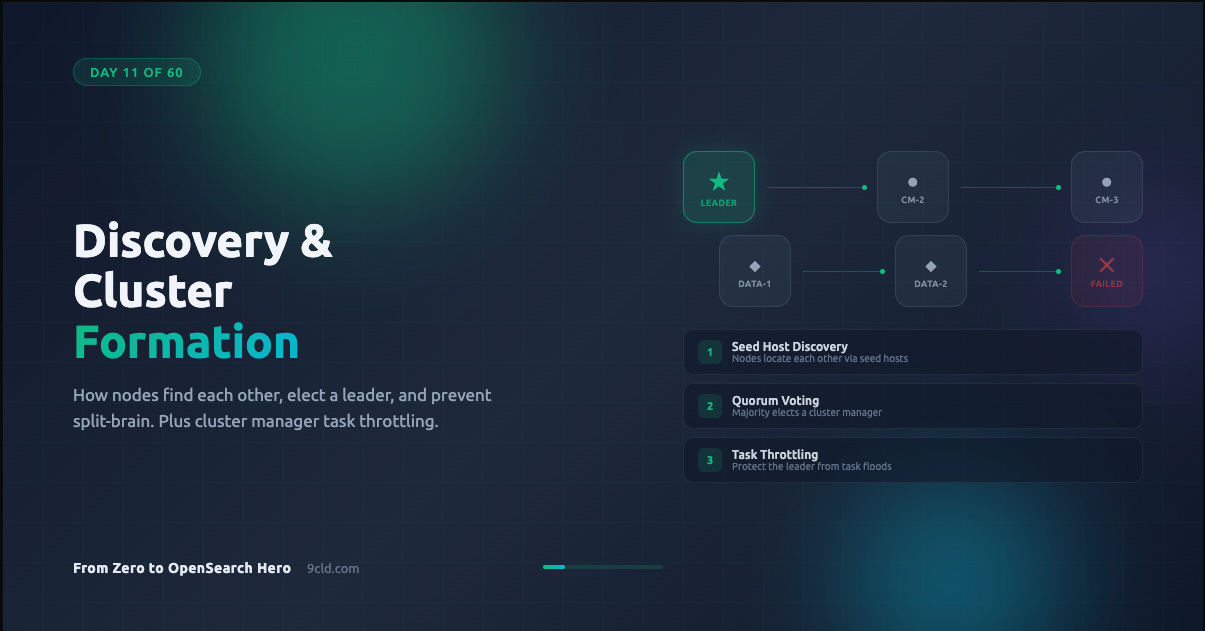
You have been running OpenSearch for ten days. You created indexes. You ran queries. You built chatbots and migrated data.
But have you ever wondered what happens in the first few seconds after you start a cluster?
Before any index exists. Before any query runs. Before your data is safe. There is a process happening that most people never think about until it breaks.
That process is discovery and cluster formation.
Get it right and your cluster starts reliably every time, recovers from failures automatically, and scales without drama. Get it wrong and you wake up to a split-brain scenario where two nodes both think they are in charge, writing conflicting data to the same indexes.
This is not theoretical. This is the kind of failure that corrupts production data.
Why This Matters Before Anything Else
Every OpenSearch cluster needs a leader. This leader is called the cluster manager (historically called the “master” node in Elasticsearch).
The cluster manager is responsible for:
Maintaining the definitive cluster state, which includes node membership, index metadata, and shard allocation
Publishing state updates to all nodes
Coordinating shard allocation and rebalancing
Managing cluster-wide settings
Without a cluster manager, nothing works. No index creation. No shard movement. No cluster state updates. Your cluster is frozen.
So the very first thing OpenSearch must do when nodes start is figure out who else is out there and agree on a leader. That is discovery.
Discovery: How Nodes Find Each Other
When an OpenSearch node starts up, it has no idea what the rest of the cluster looks like. It does not know how many other nodes exist. It does not know who the current cluster manager is. It does not even know if a cluster already exists.
The node needs a starting point. That starting point is called seed hosts.
Seed hosts are a list of addresses where the node should look for other cluster-manager-eligible nodes. Think of it as a phone book. The node calls each address and asks: “Is there a cluster here? Who is in charge?”
You configure seed hosts in opensearch.yml:
discovery.seed_hosts:
  - 10.0.1.10:9300
  - 10.0.1.11:9300
  - 10.0.1.12:9300
A few things to understand about this list:
These do not need to be all the nodes in the cluster. They just need to be enough to find at least one active cluster-manager-eligible node.
If you omit the port, OpenSearch will scan the default range of 9300 to 9400.
You can use hostnames instead of IPs. OpenSearch will resolve them via DNS.
The seed hosts list is only used during discovery. Once a node joins the cluster, it gets the full picture from the cluster state.
Seed Host Providers
OpenSearch supports three ways to provide seed host information.
Settings-based (default). The list in discovery.seed_hosts in your opensearch.yml file. Simple, static, works for most deployments.
File-based. A file called unicast_hosts.txt in the OpenSearch config directory. Useful when your infrastructure updates the file dynamically, like a configuration management tool writing new IPs as nodes spin up.
10.0.1.10:9300
10.0.1.11:9300
10.0.1.12
Plugin-based. Cloud providers offer plugins that discover nodes through APIs. On AWS, the EC2 discovery plugin can find nodes by tags. On Alibaba Cloud, similar mechanisms exist for ECS instances.
discovery.seed_providers: ec2
discovery.ec2.tag.role: master
discovery.ec2.tag.environment: production
You can combine providers. OpenSearch will merge the results from all configured sources.
Bootstrapping: The First Time is Special
There is a critical difference between starting a brand-new cluster and restarting an existing one.
When nodes have never been part of a cluster before, there is no cluster state. No leader. No history. OpenSearch needs to be told which nodes should participate in the very first election. This process is called bootstrapping.
You configure it with:
cluster.initial_cluster_manager_nodes:
  - cluster-manager-1
  - cluster-manager-2
  - cluster-manager-3
These values must exactly match the node.name setting on each node. Not the hostname. Not the IP. The node name. This is case-sensitive and character-exact.
If the name is cluster-manager-1, you cannot write cluster-manager-1.example.com in the bootstrap list. The log will tell you:
cluster manager not discovered yet, this node has not previously
joined a bootstrapped cluster, and this node must discover
cluster-manager-eligible nodes [cluster-manager-1, cluster-manager-2]
to bootstrap a cluster
This is the single most common error people hit when setting up a new cluster.
When Bootstrapping is Required
Bootstrapping is only needed once, when the cluster forms for the very first time. After that initial formation, OpenSearch stores the cluster state and never needs the bootstrap configuration again.
Specifically:
Required: Starting a brand-new cluster where no node has ever joined a cluster before.
Not required: Nodes joining an existing cluster. They get configuration from the current cluster manager.
Not required: Cluster restarts, including full cluster restarts. The existing cluster state is preserved on disk and used for recovery.
In development mode, if you do not configure any discovery settings, OpenSearch will automatically bootstrap a single-node cluster. This is convenient for local testing but dangerous in production because auto-bootstrapping can lead to split-brain if multiple nodes start independently.
# Development only - single node mode
discovery.type: single-node
Never use single-node in production. It suppresses safety mechanisms that exist specifically to prevent data corruption.
Voting and Quorum: How Leaders Are Elected
Once nodes have discovered each other, they need to agree on a leader. OpenSearch uses a quorum-based voting mechanism for this.
What is a quorum? It is the minimum number of cluster-manager-eligible nodes that must agree before an election can succeed. The formula is simple:
Quorum = (number of voting nodes / 2) + 1
With three cluster-manager-eligible nodes, the quorum is two. With five, the quorum is three. This majority requirement is what prevents split-brain.
Why does the majority rule matter? Imagine a network partition splits your three cluster-manager-eligible nodes into two groups: one group with two nodes and one group with one node.
The group with two nodes has a quorum and can elect a leader. The group with one node cannot. This means exactly one side of the partition can operate, preventing conflicting writes.
The Voting Configuration
The voting configuration is the set of cluster-manager-eligible nodes that participate in elections. OpenSearch manages this automatically as nodes join and leave the cluster.
When a new cluster-manager-eligible node joins, it gets added to the voting configuration. When a node leaves, OpenSearch can automatically shrink the voting configuration to remove it, as long as the configuration still contains at least three nodes.
This automatic shrinking is controlled by:
cluster.auto_shrink_voting_configuration: true # defaultWhy the minimum of three? Because with only two voting nodes, losing one node means losing quorum. The cluster would be stuck. Three is the minimum number that can tolerate a single node failure.
If you need to explicitly remove a node from the voting configuration (for example, during a planned decommission), you use the voting configuration exclusions API:
POST /_cluster/voting_config_exclusions?node_names=node-to-removeThis tells OpenSearch to remove the specified node from the voting configuration. The cluster will recalculate quorum based on the remaining nodes.
You can control how many exclusions are tracked with:
cluster.max_voting_config_exclusions: 10 # defaultWhat Happens During a Leader Failure
When the elected cluster manager goes down, the remaining cluster-manager-eligible nodes detect the failure through a fault detection mechanism. This triggers a new election.
The process follows a predictable sequence:
Remaining nodes notice the leader has stopped responding.
Each node waits a randomized delay before starting an election. This prevents all nodes from trying to become leader simultaneously.
A node requests votes from all other voting nodes.
If the node receives votes from a quorum, it becomes the new leader.
The new leader publishes an updated cluster state to all nodes.
The randomized delay is important. Without it, two nodes might start elections at the same time, split the votes, and force a retry. The randomization is controlled by:
cluster.election.initial_timeout: 100ms    # base delay
cluster.election.back_off_time: 100ms      # linear backoff per failure
cluster.election.max_timeout: 10s          # maximum delay cap
In most healthy clusters, leader failover happens in seconds.
Fault Detection Settings
OpenSearch continuously monitors the health of nodes in the cluster. The cluster manager pings followers. Followers ping the cluster manager. These are called fault detection pings.
Key settings that control this behavior:
# How often the leader checks each follower
cluster.fault_detection.leader_check.interval: 1s
cluster.fault_detection.leader_check.timeout: 10s
cluster.fault_detection.leader_check.retry_count: 3

# How often followers check the leader
cluster.fault_detection.follower_check.interval: 1s
cluster.fault_detection.follower_check.timeout: 10s
cluster.fault_detection.follower_check.retry_count: 3
With default settings, a failed node is detected within about 30 seconds (10 second timeout multiplied by 3 retries). You can tighten these values for faster detection, but be careful. On loaded clusters, aggressive timeouts can cause false positives where healthy nodes are removed because they were too busy to respond in time.
Cluster State Publishing
When the cluster manager makes a change (new index, shard movement, settings update), it needs to broadcast the new cluster state to all nodes. This happens through a two-phase commit process.
First, the cluster manager sends the update to all nodes and waits for acknowledgment. Then, once enough nodes have acknowledged, it sends a commit message. This ensures that either all nodes get the update or none do.
The timeout for this process is:
cluster.publish.timeout: 30sIf the cluster manager cannot publish within this timeout, it steps down and a new election begins. This prevents a situation where a network-isolated cluster manager keeps making decisions that no other node knows about.
Cluster Manager Task Throttling
Every change to the cluster state goes through the cluster manager. Creating an index, updating a mapping, starting a shard. All of these generate tasks that enter the cluster manager’s task queue.
This queue is unbounded by default. That is a problem.
If your application suddenly sends thousands of create-index requests, or a bug in your ingestion pipeline floods the cluster manager with put-mapping tasks, the queue grows without limit.
The cluster manager becomes overloaded trying to process all these tasks. Its performance degrades. Fault detection pings time out because the cluster manager is too busy to respond.
Other nodes think the leader has failed. A new election starts. But the new leader inherits the same flood of tasks.
This is how a task flood can take down an entire cluster.
OpenSearch introduced cluster manager task throttling to prevent this. It works by setting limits on how many pending tasks of each type can sit in the queue. When the limit is reached, new tasks of that type are rejected.
The rejected node retries with exponential backoff. If retries fail within the timeout period, OpenSearch returns a cluster timeout error.
The key insight is that throttling works per task type. Rejecting put-mapping tasks does not block create-index tasks. This means one misbehaving workload cannot starve other critical operations.
Configuring Task Throttling
You enable throttling through cluster settings:
PUT _cluster/settings
{
  "persistent": {
    "cluster_manager.throttling.thresholds": {
      "put-mapping": {
        "value": 100
      },
      "create-index": {
        "value": 25
      }
    }
  }
}
You can also configure retry behavior:
PUT _cluster/settings
{
  "persistent": {
    "cluster_manager.throttling": {
      "retry": {
        "base.delay": "1s",
        "max.delay": "25s"
      },
      "thresholds": {
        "put-mapping": {
          "value": 100
        }
      }
    }
  }
}
To disable throttling for a specific task type, set its value to -1.
Supported task types include:
create-indexupdate-settingscluster-update-settingsauto-createdelete-indexdelete-dangling-indexcreate-data-streamremove-data-streamrollover-indexindex-aliasesput-mappingcreate-index-templateremove-index-template
You can monitor throttling stats with:
GET _cluster/statsLook for the cluster_manager_throttling section in the response, which shows total throttled tasks and a breakdown by task type.
AWS vs Alibaba Cloud: What Changes
When you use a managed service, most of the discovery and cluster formation work is handled for you. But understanding the differences matters when things go wrong.
AWS OpenSearch Service. Discovery and bootstrapping are fully managed. You do not configure seed hosts or bootstrap nodes. AWS handles cluster manager election, fault detection, and node replacement automatically.
If a cluster manager node fails, AWS replaces it and the new node joins the cluster without manual intervention.
Cluster manager task throttling is available starting from engine version 1.3, and AWS has fine-tuned the thresholds per cluster size.
Alibaba Cloud OpenSearch. Also handles discovery automatically in its managed offering. Node replacement and leader election are managed by the platform.
The specifics of throttling configuration may differ from the open-source defaults, so check the Alibaba Cloud documentation for your engine version.
Self-managed on either cloud. If you run OpenSearch on EC2 or ECS instances yourself, you handle all of this configuration.
Use the EC2 discovery plugin on AWS or equivalent discovery mechanisms on Alibaba Cloud to automate seed host discovery instead of hardcoding IPs that change with every instance replacement.
The critical difference: on managed services, you trade configuration control for operational simplicity. You cannot modify discovery settings, fault detection timeouts, or voting configuration. If you need that level of control, self-managed is your path.
A Complete Production Configuration
Here is a complete opensearch.yml configuration for a production cluster with three dedicated cluster manager nodes:
# Cluster identification
cluster.name: production-cluster

# Node identity (different on each node)
node.name: cluster-manager-1
node.roles: [cluster_manager]

# Network
network.host: 0.0.0.0
transport.port: 9300

# Discovery
discovery.seed_hosts:
  - cluster-manager-1.example.com:9300
  - cluster-manager-2.example.com:9300
  - cluster-manager-3.example.com:9300

# Bootstrap (ONLY for initial cluster formation, remove after)
cluster.initial_cluster_manager_nodes:
  - cluster-manager-1
  - cluster-manager-2
  - cluster-manager-3

# Voting configuration
cluster.auto_shrink_voting_configuration: true
cluster.max_voting_config_exclusions: 3

# Cluster state publishing
cluster.publish.timeout: 60s
cluster.join.timeout: 120s

# Fault detection
cluster.fault_detection.leader_check.interval: 1s
cluster.fault_detection.leader_check.timeout: 10s
cluster.fault_detection.leader_check.retry_count: 3
cluster.fault_detection.follower_check.interval: 1s
cluster.fault_detection.follower_check.timeout: 10s
cluster.fault_detection.follower_check.retry_count: 3
After the cluster forms successfully for the first time, remove the cluster.initial_cluster_manager_nodes line. Leaving it in place is not dangerous on an already-formed cluster, but removing it makes intent clear and prevents confusion during future troubleshooting.
Common Mistakes
Mismatched node names in bootstrap. The most frequent error. The value in
cluster.initial_cluster_manager_nodesmust exactly matchnode.nameon each node. Not the hostname. Not the FQDN. The node name.Leaving bootstrap config on existing clusters. It works, but it creates confusion. If someone later reads the config, they might think the cluster has not been bootstrapped yet.
Too few cluster-manager-eligible nodes. One cluster manager means zero fault tolerance. Two cluster managers means you cannot survive even one failure because you lose quorum. Three is the practical minimum. Five gives you tolerance for two simultaneous failures but adds election overhead.
Running cluster manager and data roles on the same node. In production, a heavy indexing or search workload can starve the cluster manager of CPU and memory. Dedicated cluster manager nodes are small (2 vCPU, 4 GB RAM is often enough) and their only job is managing the cluster state.
Aggressive fault detection timeouts. Setting the timeout to 1 second sounds like faster recovery. In practice, it means healthy nodes get removed during garbage collection pauses or temporary network blips. The defaults exist for a reason.
Ignoring task throttling. If your application can programmatically create indexes or update mappings, one bug can generate thousands of tasks in seconds. Set throttling thresholds before you need them, not after the cluster is already overwhelmed.
What is Next
On Day 12, we go deep into cluster performance tuning. You will learn how indexing speed, refresh intervals, merge policies, and shard allocation interact to determine how fast your cluster can ingest and search data. This is where theoretical knowledge becomes measurable performance gains.
Interactive guide: opensearch.9cld.com/day/11-discovery-and-cluster-formation
All guides: opensearch.9cld.com