

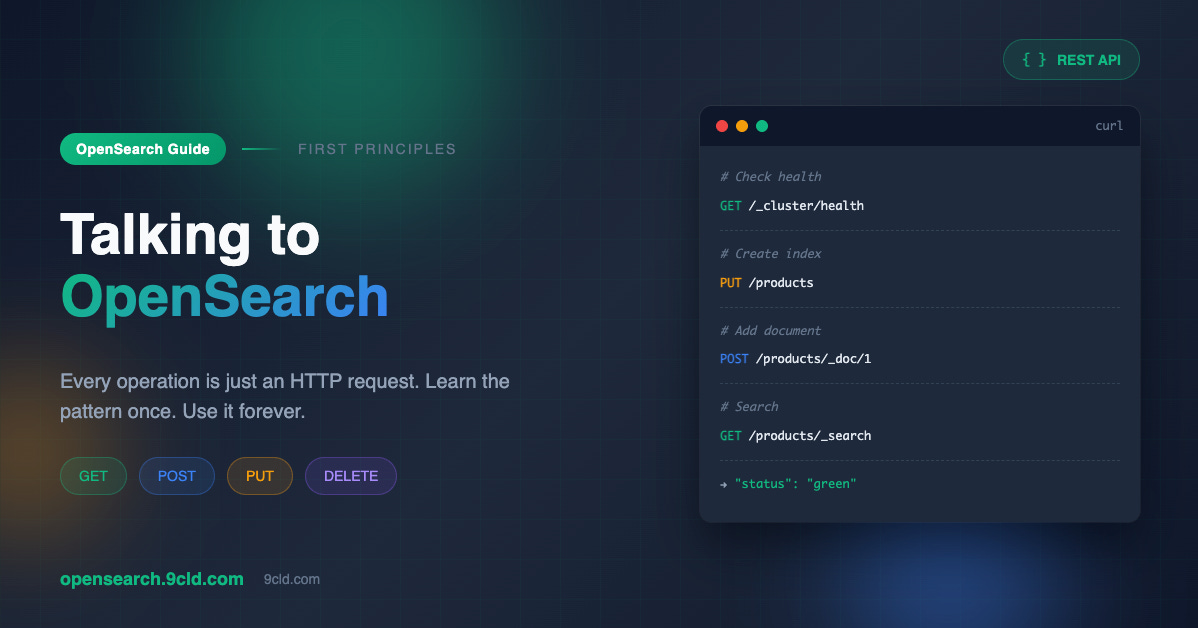
The Conversation Nobody Teaches
OpenSearch is sitting there. Running. Waiting. Green status. Ready.
But ready for what?
Most people get stuck here. They followed a tutorial to install OpenSearch. It worked. Now they stare at a terminal, wondering what to type next.
The documentation shows hundreds of API endpoints. The examples assume you already know what an index is. The queries look like alien hieroglyphics.
Here is what nobody tells you. OpenSearch is just a web server. It listens on port 9200. It accepts HTTP requests. It returns JSON responses.
That is it.
Every fancy feature. Every complex query. Every advanced operation. It's all just HTTP requests to a web server.
Once you understand this, everything else clicks into place.
The Shape of Every Request
curl -X METHOD 'https://localhost:9200/path' -d 'data'METHOD is what you want to do. GET to read. PUT to create. POST to add or update. DELETE to remove.
Path is where you want to do it. An index name. A document ID. A special endpoint like _search or _cluster.
Data is the details. The document you want to store. The query you want to run. The settings you want to apply.
Every single OpenSearch operation follows this pattern. Learn it once. Use it forever.
Before We Start
Make sure OpenSearch is running.
podman ps | grep opensearchIf you see your container listed, you are good. If not, start it.
podman run -d \
  --name opensearch-node \
  -p 9200:9200 \
  -p 9600:9600 \
  -e 'discovery.type=single-node' \
  -e 'OPENSEARCH_INITIAL_ADMIN_PASSWORD=OpenSearch@2024Secure' \
  -e 'OPENSEARCH_JAVA_OPTS=-Xms512m -Xmx512m' \
  opensearchproject/opensearch:latest
Wait a minute for startup. Then verify.
curl -k -u 'admin:OpenSearch@2024Secure' 'https://localhost:9200'You should see JSON with cluster information.
To save typing, create an alias.
alias os='curl -s -k -u admin:OpenSearch@2024Secure'Now os replaces the long curl command. I will use this alias for the rest of the guide.
Checking Health
First question to ask any cluster. Are you okay?
os -X GET 'https://localhost:9200/_cluster/health?pretty'The underscore before cluster means this is a special system endpoint. The pretty parameter formats the JSON for humans.
Look at the status field in the response.
Green means everything is perfect. All data is available and replicated.
Yellow means data is available but not fully replicated. Normal for single node setups.
Red means some data is unavailable. Something is wrong.
For learning on a single node, yellow is expected and fine.
Creating a Place for Data
OpenSearch stores data in indices. Think of an index as a container for related documents.
Before adding data, create an index.
os -X PUT 'https://localhost:9200/products' -H 'Content-Type: application/json' -d '{
  "settings": {
    "number_of_shards": 1,
    "number_of_replicas": 0
  }
}'
PUT because we are creating something with a specific name. The name is products. Settings configure how the index behaves.
One shard means all data lives in one place. Zero replicas means no backup copies. Fine for learning. Not for production.
The response confirms creation.
{
  "acknowledged": true,
  "index": "products"
}
Defining Structure
OpenSearch can guess the structure of your data. But guessing leads to surprises. Better to define it explicitly.
Delete the index and recreate it with a mapping.
os -X DELETE 'https://localhost:9200/products'

os -X PUT 'https://localhost:9200/products' -H 'Content-Type: application/json' -d '{
  "settings": {
    "number_of_shards": 1,
    "number_of_replicas": 0
  },
  "mappings": {
    "properties": {
      "name": { "type": "text" },
      "category": { "type": "keyword" },
      "price": { "type": "float" },
      "description": { "type": "text" },
      "in_stock": { "type": "boolean" }
    }
  }
}'
The mappings section defines what each field contains.
text fields are for full text search. OpenSearch breaks them into individual words. Searching for “wireless” finds “Wireless Headphones” even though the case differs and the word is part of a phrase.
keyword fields are for exact values. Categories. Tags. IDs. Status codes. OpenSearch stores them exactly as provided. Searching for “Electronics” only finds “Electronics” not “Electronic” or “electronics”.
float for decimal numbers. boolean for true or false. integer for whole numbers. date for timestamps.
Choosing wrong causes problems. A category stored as text matches partial words. A description stored as keyword requires exact phrase matching. Think about how you will search each field.
Adding Documents
Now add some data.
os -X POST 'https://localhost:9200/products/_doc/1' -H 'Content-Type: application/json' -d '{
  "name": "Wireless Headphones",
  "category": "Electronics",
  "price": 149.99,
  "description": "Premium noise-canceling wireless headphones with 30-hour battery life",
  "in_stock": true
}'
POST to the _doc endpoint adds a document. The 1 at the end is the document ID. You choose it. If you leave it out, OpenSearch generates a random one.
Add a few more.
os -X POST 'https://localhost:9200/products/_doc/2' -H 'Content-Type: application/json' -d '{
  "name": "Running Shoes",
  "category": "Sports",
  "price": 89.99,
  "description": "Lightweight running shoes for marathon training",
  "in_stock": true
}'

os -X POST 'https://localhost:9200/products/_doc/3' -H 'Content-Type: application/json' -d '{
  "name": "Coffee Maker",
  "category": "Kitchen",
  "price": 79.99,
  "description": "Automatic drip coffee maker with programmable timer",
  "in_stock": false
}'

os -X POST 'https://localhost:9200/products/_doc/4' -H 'Content-Type: application/json' -d '{
  "name": "Bluetooth Speaker",
  "category": "Electronics",
  "price": 59.99,
  "description": "Portable wireless speaker with deep bass",
  "in_stock": true
}'
Four products. Two electronics. One sports. One kitchen. Different prices. Different stock status. Enough variety to make searches interesting.
Getting Documents Back
Retrieve a document by its ID.
os -X GET 'https://localhost:9200/products/_doc/1?pretty'The response includes your document in the _source field plus metadata like version number and index name.
{
  "_index": "products",
  "_id": "1",
  "_source": {
    "name": "Wireless Headphones",
    "category": "Electronics",
    "price": 149.99,
    "description": "Premium noise-canceling wireless headphones with 30-hour battery life",
    "in_stock": true
  }
}
This is direct retrieval. You know the ID. You get the document. Fast and simple.
But searching is different.
Searching
Search does not require knowing IDs. You describe what you want. OpenSearch finds matches.
The simplest search returns everything.
os -X GET 'https://localhost:9200/products/_search?pretty' -H 'Content-Type: application/json' -d '{
  "query": {
    "match_all": {}
  }
}'
The _search endpoint accepts a query in the request body. The match_all query matches every document.
Results come back in the hits array. Each hit includes the document source and a score indicating relevance.
{
  "hits": {
    "total": { "value": 4 },
    "hits": [
      { "_id": "1", "_score": 1.0, "_source": { ... } },
      { "_id": "2", "_score": 1.0, "_source": { ... } }
    ]
  }
}
With match_all, every document scores the same because no criteria distinguish them.
Full Text Search
This is why OpenSearch exists. Finding documents by meaning, not exact strings.
os -X GET 'https://localhost:9200/products/_search?pretty' -H 'Content-Type: application/json' -d '{
  "query": {
    "match": {
      "description": "wireless"
    }
  }
}'
The match query searches a text field for a word. This returns two products. The headphones because “wireless” appears in their description. The speaker because “wireless” also appears in its description.
Try searching for something not present.
os -X GET 'https://localhost:9200/products/_search?pretty' -H 'Content-Type: application/json' -d '{
  "query": {
    "match": {
      "description": "waterproof"
    }
  }
}'
No results. None of our products mention waterproof.
Search for multiple words.
os -X GET 'https://localhost:9200/products/_search?pretty' -H 'Content-Type: application/json' -d '{
  "query": {
    "match": {
      "description": "wireless battery"
    }
  }
}'
By default, match finds documents containing any of the words. Both wireless products match. The headphones score higher because their description contains both words.
Exact Matching
For keyword fields, use term instead of match.
os -X GET 'https://localhost:9200/products/_search?pretty' -H 'Content-Type: application/json' -d '{
  "query": {
    "term": {
      "category": "Electronics"
    }
  }
}'
Term looks for the exact value. Electronics matches Electronics. Nothing else.
This distinction matters. If you use match on a keyword field, it usually works but behaves unexpectedly with multiple words. If you use term on a text field, it fails because the stored tokens do not match your exact input.
Match for text. Term for keywords. Remember this.
Filtering by Numbers
Find products in a price range.
os -X GET 'https://localhost:9200/products/_search?pretty' -H 'Content-Type: application/json' -d '{
  "query": {
    "range": {
      "price": {
        "gte": 50,
        "lte": 100
      }
    }
  }
}'
The range query accepts boundaries. gte means greater than or equal. lte means less than or equal. gt and lt are the strict versions without the equal part.
This finds running shoes and coffee maker. Both priced between 50 and 100.
Combining Conditions
Real searches have multiple requirements. Find electronics that are in stock. Find products matching a search term under a certain price.
The bool query combines conditions.
os -X GET 'https://localhost:9200/products/_search?pretty' -H 'Content-Type: application/json' -d '{
  "query": {
    "bool": {
      "must": [
        { "term": { "category": "Electronics" } }
      ],
      "filter": [
        { "term": { "in_stock": true } }
      ]
    }
  }
}'
The must clause requires conditions to match and affects relevance scoring.
The filter clause requires conditions to match but does not affect scoring. Use filter for yes or no conditions like stock status or category membership where relevance does not matter.
A more complex example. Find products mentioning wireless that are in stock and cost less than 100.
os -X GET 'https://localhost:9200/products/_search?pretty' -H 'Content-Type: application/json' -d '{
  "query": {
    "bool": {
      "must": [
        { "match": { "description": "wireless" } }
      ],
      "filter": [
        { "term": { "in_stock": true } },
        { "range": { "price": { "lt": 100 } } }
      ]
    }
  }
}'
Only the Bluetooth speaker matches. The headphones are wireless and in stock but cost more than 100.
Modifying Documents
Update a document with new information.
os -X POST 'https://localhost:9200/products/_update/1' -H 'Content-Type: application/json' -d '{
  "doc": {
    "price": 129.99,
    "on_sale": true
  }
}'
The _update endpoint merges your changes with the existing document. Fields you specify are updated or added. Fields you omit remain unchanged.
Verify the update worked.
os -X GET 'https://localhost:9200/products/_doc/1?pretty'The headphones now cost 129.99 and have a new on_sale field.
Removing Documents
Delete by ID.
os -X DELETE 'https://localhost:9200/products/_doc/4'The speaker is gone. Permanently. No recycle bin. No undo.
Verify the count dropped.
os -X GET 'https://localhost:9200/products/_count?pretty'Three documents remain.
Viewing Indices
List all indices in the cluster.
os -X GET 'https://localhost:9200/_cat/indices?v'The _cat API returns plain text formatted for humans. The v parameter adds column headers.
You see your products index along with any system indices OpenSearch created automatically.
Cleaning Up
Delete an entire index.
os -X DELETE 'https://localhost:9200/products'Everything gone. All documents. All mappings. All settings. Use carefully.
The Pattern Revealed
Every operation we performed followed the same pattern.
Check health. GET to _cluster/health.Create an index. PUT to /indexname.Add document. POST to /indexname/_doc/id.Get the document. GET to /indexname/_doc/id.Search. GET or POST to /indexname/_search with query body.Update. POST to /indexname/_update/id.Delete document. DELETE to /indexname/_doc/id.Delete index. DELETE to /indexname.The endpoint tells OpenSearch what you want. The method tells it what to do. The body provides details.
This pattern scales to every feature OpenSearch offers. Aggregations for analytics. Vector search for AI applications. Semantic search for natural language. All of them use the same structure.
You now speak OpenSearch.
Terminal recording at https://asciinema.org/a/772970
Interactive guide at https://opensearch.9cld.com/day/03-first-conversation